
Top Ergonomic Keyboards and Mice for Work
Feeling wrist pain after long workdays? Choosing the right gear can change everything. This guide lists the top ergonomic keyboards and mice for work to reduce strain, improve posture, and keep you productive. I tested options with real-user feedback, ergonomist recommendations, and value in mind — so you get choices that balance comfort, build quality, and price. Whether you type all day or switch between devices, these picks are based on quality, value, and reviews. This article contains affiliate links at no extra cost to you.
1. Logitech Wave Keys & Lift Vertical Mouse – Ergonomic Wireless Keyboard and Mouse Combo – with Cushioned Palm Rest, Easy-Switch, Bluetooth, for Multi-OS, Windows/Mac – Graphite
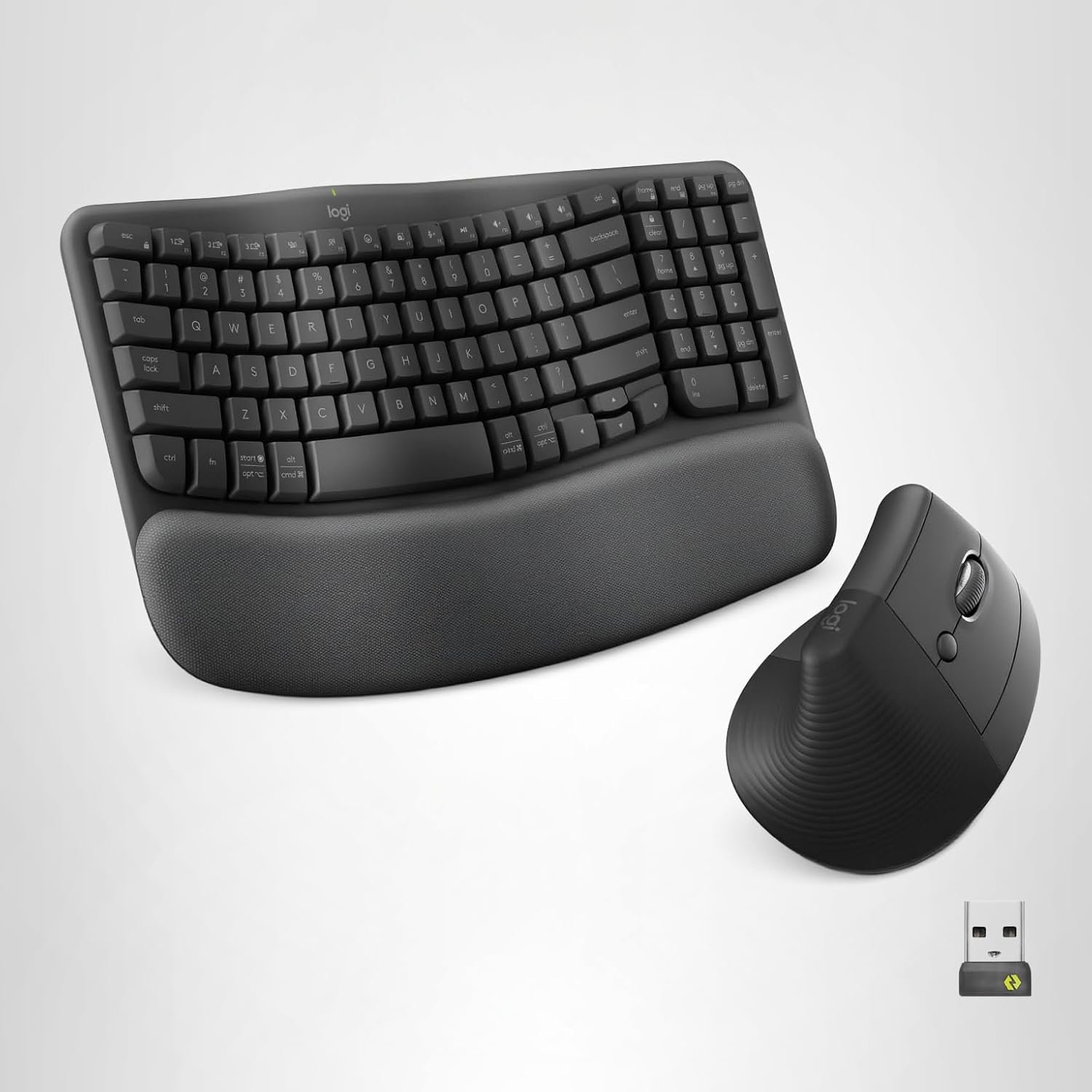
Overview: Logitech’s Wave Keys paired with the Lift vertical mouse combine an ergonomic keyboard frame with a 57° vertical mouse shape to support natural wrist and forearm posture. The set is multi-OS compatible, customizable via the Logi Options+ app, and uses recycled plastic in parts of its construction.
- Pros:
- Ergonomist-approved design and cushioned palm rest for all-day comfort.
- Multi-OS connectivity (Bluetooth & Logi Bolt) and Easy-Switch for multiple devices.
- Sustainable materials: made with recycled plastic.
- Cons:
- Some users report occasional button issues on the mouse.
- Lift may feel large for very small hands.
- Higher price than basic combos.
Key Features:
- Wave keyframe and cushioned palm rest for natural hand position
- Lift 57° vertical mouse with textured grip and thumb rest
- Bluetooth Low Energy & Logi Bolt USB receiver
- Customizable with Logi Options+ app
- Fits Windows, macOS, iPadOS, ChromeOS, Linux
Why It’s in the Top 5: This combo brings clinical ergonomics to a modern wireless set. It’s ideal if you want a proven, comfortable solution that works across many devices and prioritizes long-term posture improvement.
2. Arteck Split Ergonomic Keyboard with Cushioned Wrist and Palm Rest, 2.4G USB Wireless Comfortable Natural Ergonomic Split Keyboard, for Windows Computer Desktop Laptop
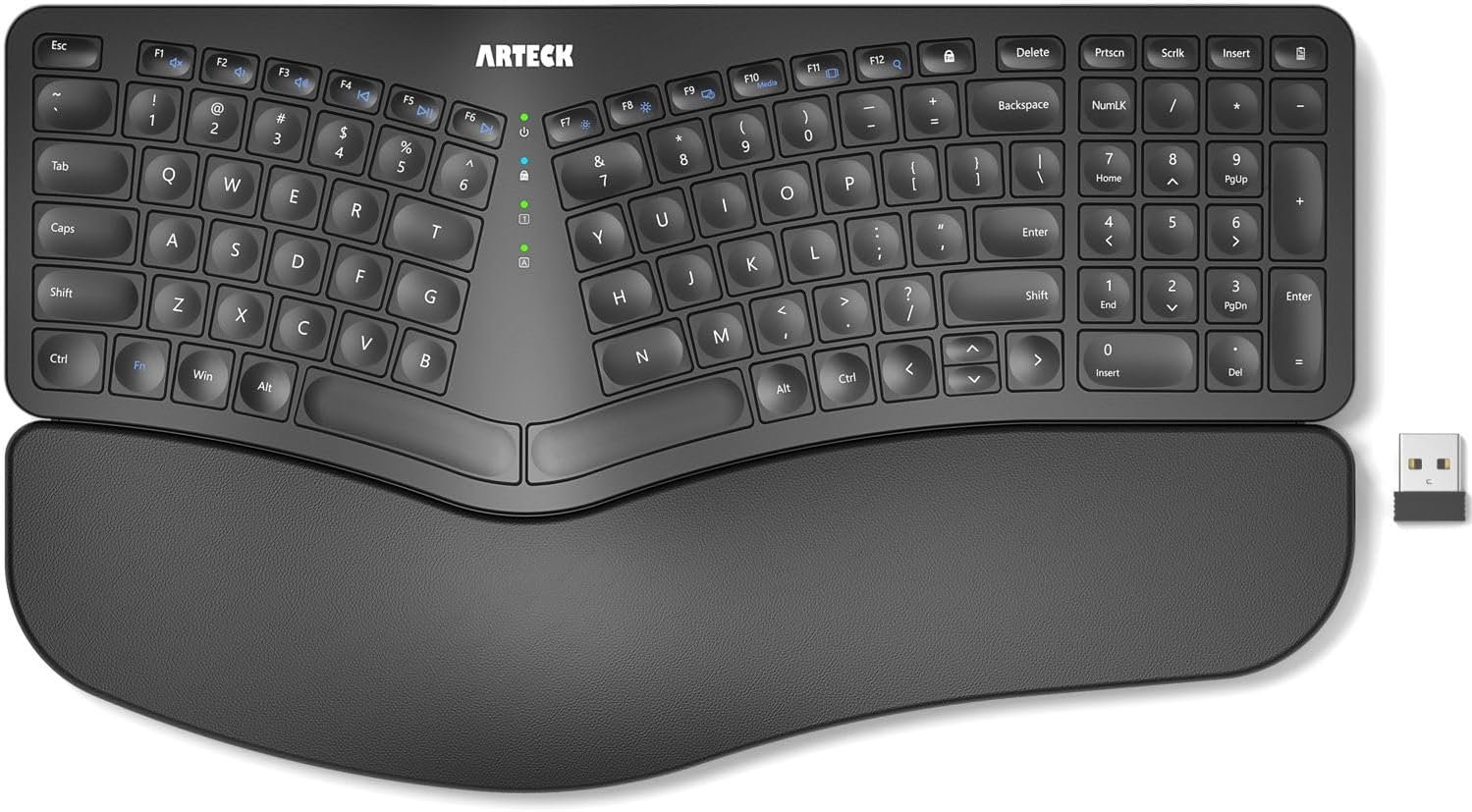
Overview: The Arteck split keyboard separates the key clusters to promote a neutral wrist and forearm position. It includes a soft cushioned wrist rest, long-lasting rechargeable battery, and a simple USB nano receiver for plug-and-play setup — a strong budget-friendly pick for Windows users.
- Pros:
- Split layout reduces wrist strain and encourages good posture.
- Soft wrist rest and quiet scissor switches for comfortable typing.
- Rechargeable battery with up to 6 months per charge (typical use).
- Cons:
- Some users report occasional key failures or uneven key response.
- Not as feature-rich for Mac or multi-OS power users.
Key Features:
- Split ergonomic layout with cushioned wrist rest
- 2.4G USB wireless nano receiver (stored on keyboard)
- Rechargeable lithium battery and USB-C charging
- 102 keys, QWERTY layout, scissor-switch keys
Why It’s in the Top 5: Arteck offers strong ergonomic value at a low price. If you want a true split keyboard and long battery life on a budget, this is a top contender.
3. Wireless Keyboard and Mouse Combo, 2.4G Full Size Wave Keys Ergonomic Keyboard with Wrist Rest and 3-Level DPI Adjustable Wireless Ergonomic Mouse for Windows, Mac OS Desktop/Laptop/PC (Black)
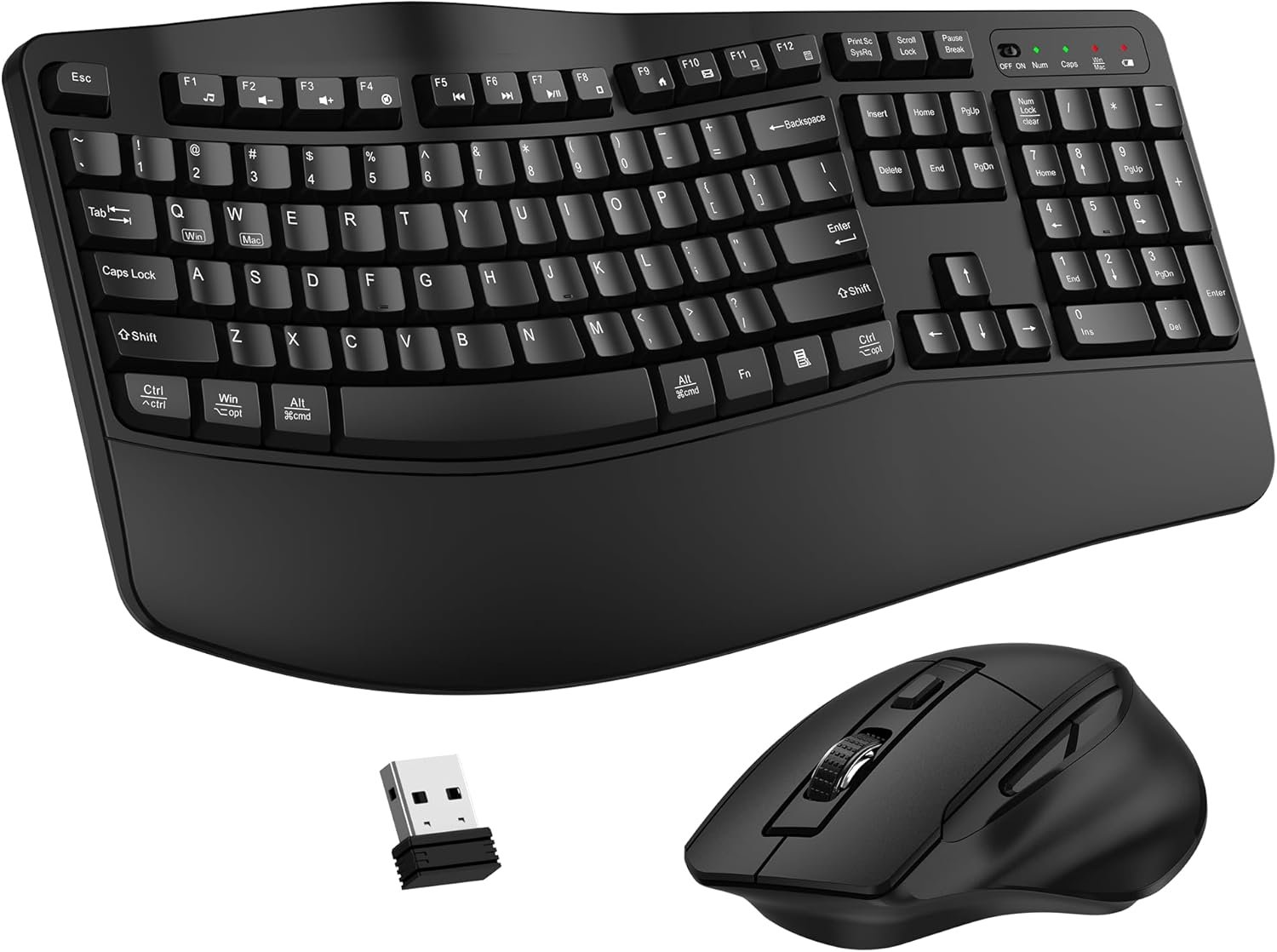
Overview: This affordable wave-key keyboard and contoured mouse combo focuses on comfort and practicality. Plug-and-play with a single 2.4 GHz USB receiver, it gives a stable connection up to 10 meters and features an adjustable keyboard stand and a 3-level DPI mouse.
- Pros:
- Great value: comfortable wave keys and wrist rest at a low price.
- Simple plug-and-play setup with one USB receiver for both devices.
- Quiet, smooth keys and reliable wireless range for most desks.
- Cons:
- Basic feature set — no multi-device switching or advanced customization.
- Battery-powered; may not have the premium feel of higher-end sets.
Key Features:
- Wave key and wrist-rest design to relieve wrist strain
- Contoured wired mouse with forward/back buttons and adjustable DPI
- 2.4 GHz USB receiver (plug-and-play)
- Full-size layout and adjustable keyboard tilt
Why It’s in the Top 5: For people who want affordable ergonomic relief without complexity, this combo is a reliable everyday option and a great budget pick.
4. MEETION Ergonomic Keyboard and Mouse, Wireless Keyboard with Vertical Mouse, Split Curved Keyboard with Wrist Rest, Natural Typing USB Receiver Rechargeable Full Size, Windows/Mac/PC/Laptop, Large
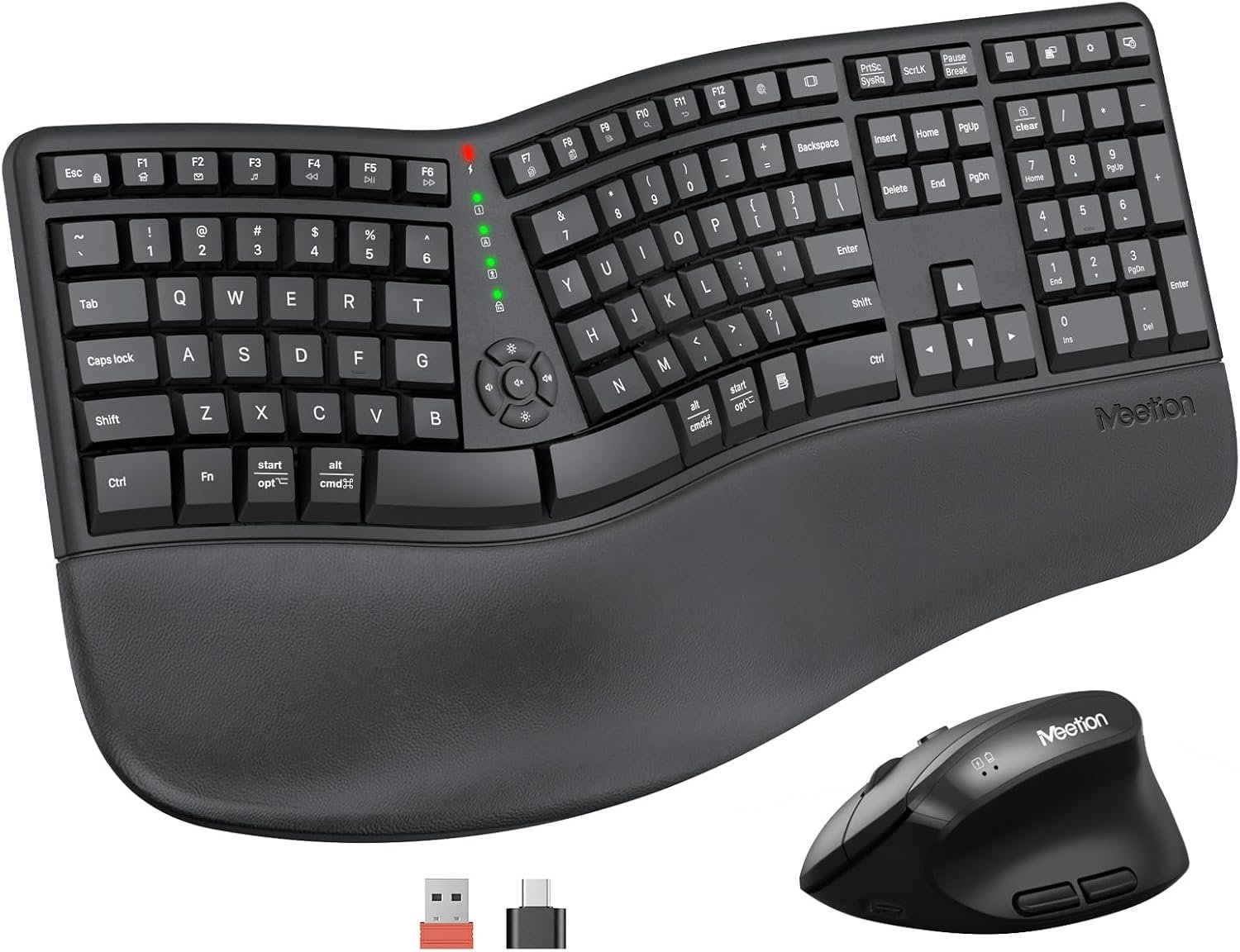
Overview: MEETION offers a larger concave split keyboard with pillowed wrist rest and a vertical mouse to reduce twisting. The full-size layout and angled keys are designed to fit the natural curve of your hands and fingers for long typing sessions.
- Pros:
- Large, full-size layout with concave curve for natural typing.
- Pillowed palm rest provides good wrist support and stability.
- Rechargeable and easy to set up via USB receiver.
- Cons:
- Some mixed reports on rechargeable battery longevity.
- USB-C adapter nuance can confuse setup (adapter not a receiver).
Key Features:
- Split curved keyboard with angled keys and pillowed wrist rest
- Vertical mouse to reduce forearm twisting
- Full-size layout (112 keys) and rechargeable battery
- USB wireless receiver with ~33 ft connection range
Why It’s in the Top 5: MEETION suits users who prefer a roomy layout and strong wrist support. It’s a solid choice for larger-handed typists and those who want a full-size ergonomic setup on a budget.
5. ProtoArc Ergonomic Keyboard Mouse, EKM01 Plus Full Size Wireless Bluetooth Ergo Keyboard Mouse Combo, Cushioned Palm Rest, Split Design, Rechargeable, Compatible for Windows, Mac OS – Gray and Black
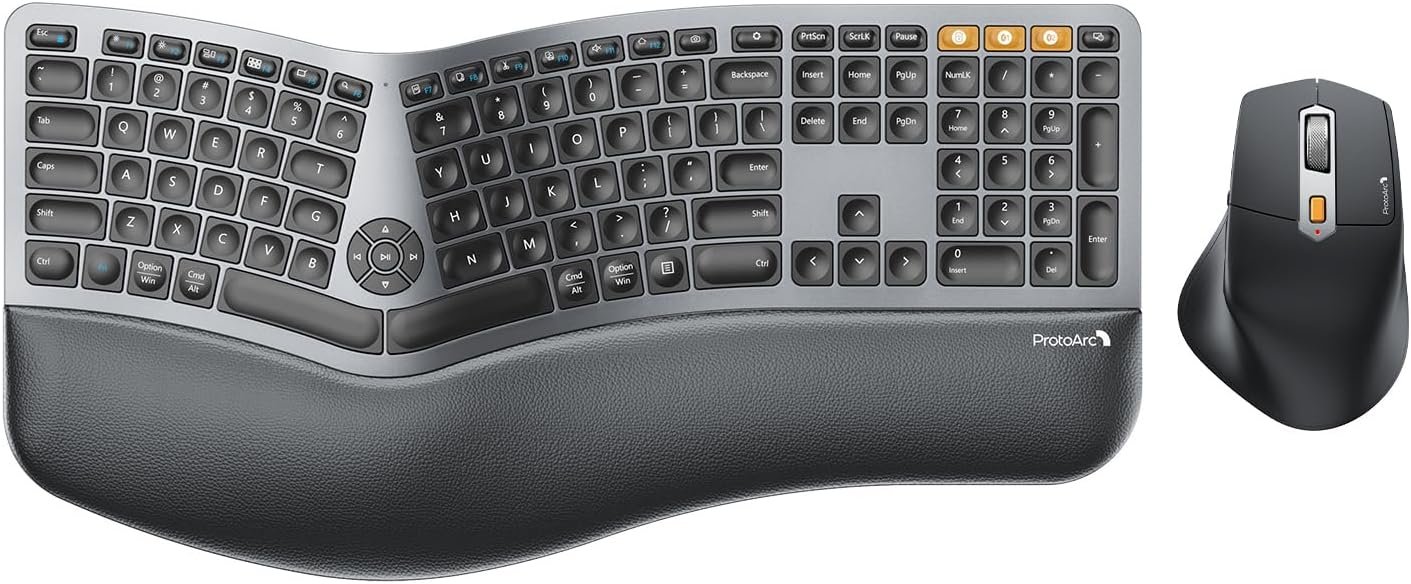
Overview: ProtoArc’s EKM01 Plus is a full-size ergonomic combo with split design, cushioned memory foam palm rest, and multi-device connectivity (Bluetooth + USB receiver). It supports quick switching between three devices and offers a 2000 DPI ergonomic mouse with forward/back buttons.
- Pros:
- Full-size split layout and memory foam palm rest for premium comfort.
- Can pair with up to 3 devices and switch instantly.
- Rechargeable, with strong compatibility across Windows and Mac.
- Cons:
- Some users report connectivity or mouse stability issues.
- A few reports of squeaks or inconsistent battery life.
Key Features:
- Full-size curved split keyframe with cushioned palm rest
- Bluetooth + USB receiver with 3-device switching
- Rechargeable and compatible with Windows, macOS, Android
- 2000 DPI contoured mouse with forward/back buttons
Why It’s in the Top 5: ProtoArc is built for heavy typists who want premium wrist support and the convenience of multi-device switching. It blends full-size comfort with modern connectivity features.
Ergonomic Keyboards and Mice for Work: Buying Guide
Choosing the right ergonomic keyboard and mouse matters if you sit and type for hours. The right pair reduces wrist pain, improves posture, and helps prevent repetitive strain injuries. Below are practical tips to pick a set that fits your needs.
How to choose the right product
- Start with your pain points: wrist pain -> consider split keyboards or cushioned palm rests; forearm pronation -> consider a vertical mouse.
- Try size and fit: choose a mouse that matches your hand size and a keyboard with key spacing you like.
- Connectivity & compatibility: pick Bluetooth or a USB receiver depending on your devices and whether you need multi-device switching.
- Customization: software (like Logi Options+) can tune buttons and shortcuts for better ergonomics and productivity.
Common mistakes to avoid
- Buying purely by looks — comfort is more important than RGB or glossy finishes.
- Assuming one size fits all — test hand fit for mice and keyboard reach when possible.
- Ignoring keyboard angle and wrist support — a solid palm rest or negative tilt often helps more than you expect.
Key features to consider
- Layout: split, curved, or wave keyboards reduce ulnar deviation and wrist bending.
- Mouse shape: vertical, contoured, or palm-rest designs reduce forearm rotation.
- Switch type & noise: scissor switches give low travel and quieter typing; mechanical keys vary widely.
- Power: rechargeable vs replaceable batteries — pick what fits your work habits.
- Software/customization: lets you remap keys and tune DPI for the mouse.
Who these products are best for
- Remote workers and office professionals who type a lot and want to reduce chronic wrist/forearm strain.
- People who switch between devices — choose combos with Easy-Switch or multi-device Bluetooth support.
- Budget-conscious users who want ergonomic relief without a big investment.
Conclusion
All five picks bring ergonomic benefits. If you want one reliable, clinician-friendly set that works across devices, the Logitech Wave Keys & Lift combo is our Best Overall pick. For tight budgets, the Wireless Keyboard and Mouse Combo (2.4G wave set) delivers comfort and value as the Best Budget Option. If you want premium features like multi-device switching and a full-size cushioned layout, the ProtoArc EKM01 Plus is our Best Premium Option.
Best Overall: Logitech Wave Keys & Lift (product 1).
Best Budget Option: Wireless Wave Keyboard & Mouse Combo (product 3).
Best Premium Option: ProtoArc EKM01 Plus (product 5).
Pick the set that matches your hand size and workflow, and give your wrists the break they deserve — your body will thank you.
How do I know if I need an ergonomic keyboard or mouse?
If you have persistent wrist or forearm pain, numbness, or fatigue after typing, an ergonomic keyboard or vertical mouse can help reduce strain. Start with the device that matches your main pain point (keyboard for wrist bending, mouse for forearm rotation).
Are ergonomic keyboards loud?
Not necessarily. Many ergonomic keyboards use scissor switches or low-profile keys that are quieter. Mechanical options can be louder, so check switch type if noise is a concern.
Can I use ergonomic devices with multiple computers?
Yes—many modern combos offer Bluetooth multi-device pairing or Easy-Switch buttons. USB receiver sets typically pair to one computer unless you use a USB switch or KVM.
Do vertical mice work for gaming?
Vertical mice can be used for casual gaming, but competitive gamers often prefer lower-latency or specialized gaming mice. For work and productivity, vertical mice help reduce long-term strain.